Getting Started with Klaviyo
Learn how to connect your Klaviyo account to Klavimore and start syncing your marketing performance data.
Before You Begin
Before connecting Klaviyo to Klavimore, make sure you have:
- Manager-level access or above to your Klaviyo account - you need manager permissions to authorize the connection.
- Access to Klavimore - your team will receive an invitation or demo login credentials from Klavimore before setup.
This integration works for both individual brands and agencies managing multiple client accounts.
Overview
Connecting Klaviyo to Klavimore takes less than 5 minutes. Once connected, Klavimore will automatically sync your campaign metrics, flow data, audience insights, and order attribution data.
Watch how to add a Klaviyo account
Follow the short walkthrough below to see the full OAuth connection flow before you start.
Step 1: Add a New Account
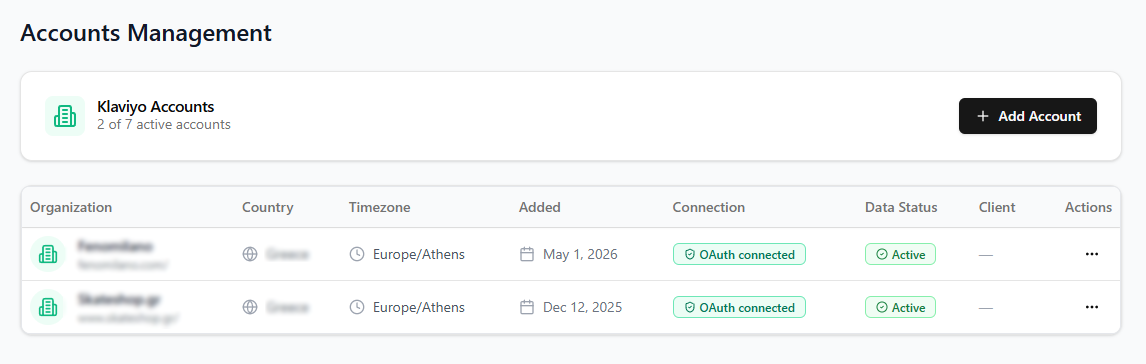
Log in to your Klavimore dashboard using the access provided by our team, then navigate to Accounts Management. Click Add Account to start connecting a new Klaviyo account.
Step 2: Authorize Klaviyo via OAuth
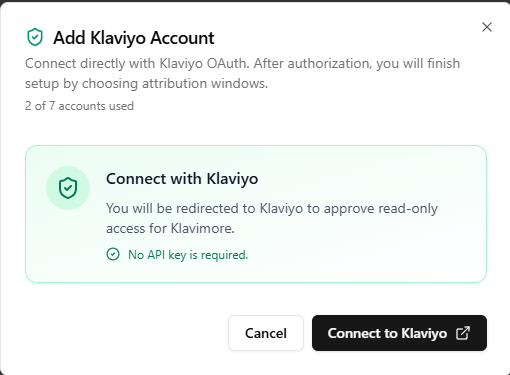
Click Connect to Klaviyo. You will be redirected to Klaviyo to authorize the connection.
Review the permissions Klavimore is requesting. These are read-only permissions required to sync your marketing data. Click Allow to authorize.
Step 3: Configure Attribution Settings
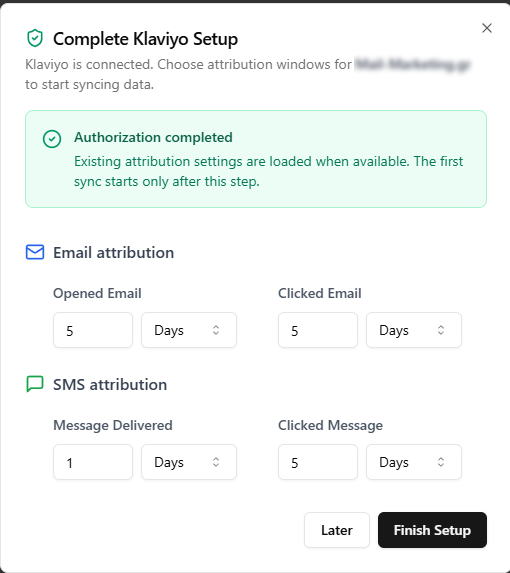
After authorization, you will be redirected back to Klavimore to configure your attribution settings.
Set your preferred attribution window to match your Klaviyo attribution configuration. This ensures revenue and conversion data in Klavimore aligns with your Klaviyo reports.
Step 4: Connection Complete
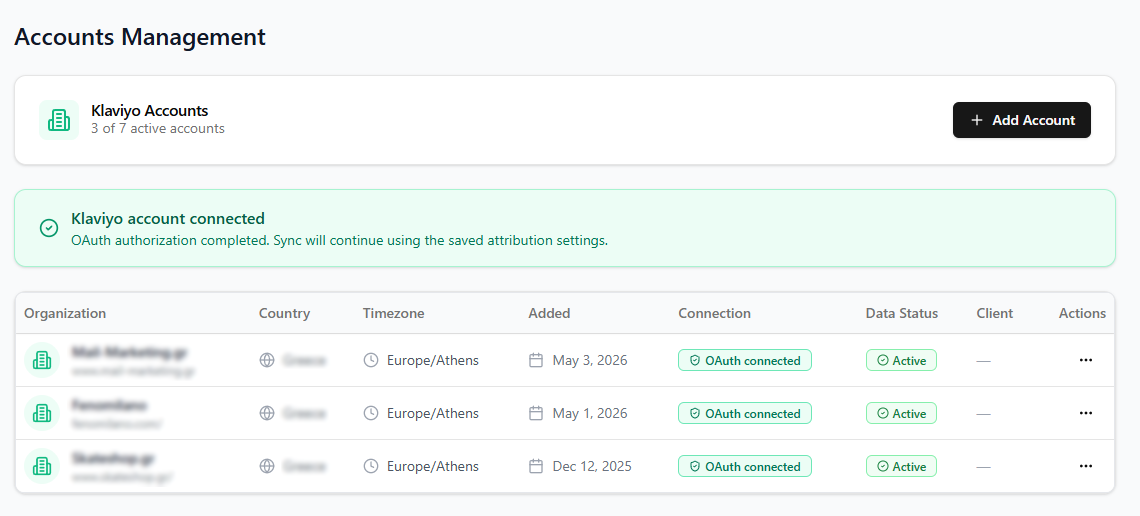
Once configured, your Klaviyo account will begin syncing. You will see the account status as Connected in your Accounts Management page.
Initial sync can take anywhere from a few minutes to several hours depending on the size of your Klaviyo account and the amount of historical data. You will receive an email confirmation once the sync is complete.
What Happens Next
After the initial sync completes, Klavimore will automatically keep your data up to date. You can now:
- View campaign and flow performance
- Track audience health and subscriber trends
- Analyze revenue attribution
- Prepare client-ready reports
Need Help?
If you have questions or run into any issues during setup, contact our support team:
Email: support@klavimore.com